FOR RESTAURANTS, NATIONWIDE

Serve the counter, kitchen, and online guests for $0/month.

Take orders at the counter, route tickets to the kitchen, accept online orders through your branded storefront, and review sales before close. No monthly software fees under the cash-discount model. Built by restaurant owners.

  • Counter POS, modifiers, notes, and kitchen routing
  • Branded online ordering and loyalty
  • Customer display and sales reporting
No contracts Windows Desktop + Android Personal setup and supportChange business type ↗
Tastio CashierRestaurant POS
Real Tastio restaurant POS at Taqueria Chavez, with menu and active order

Actual Tastio POS · Taqueria Chavez

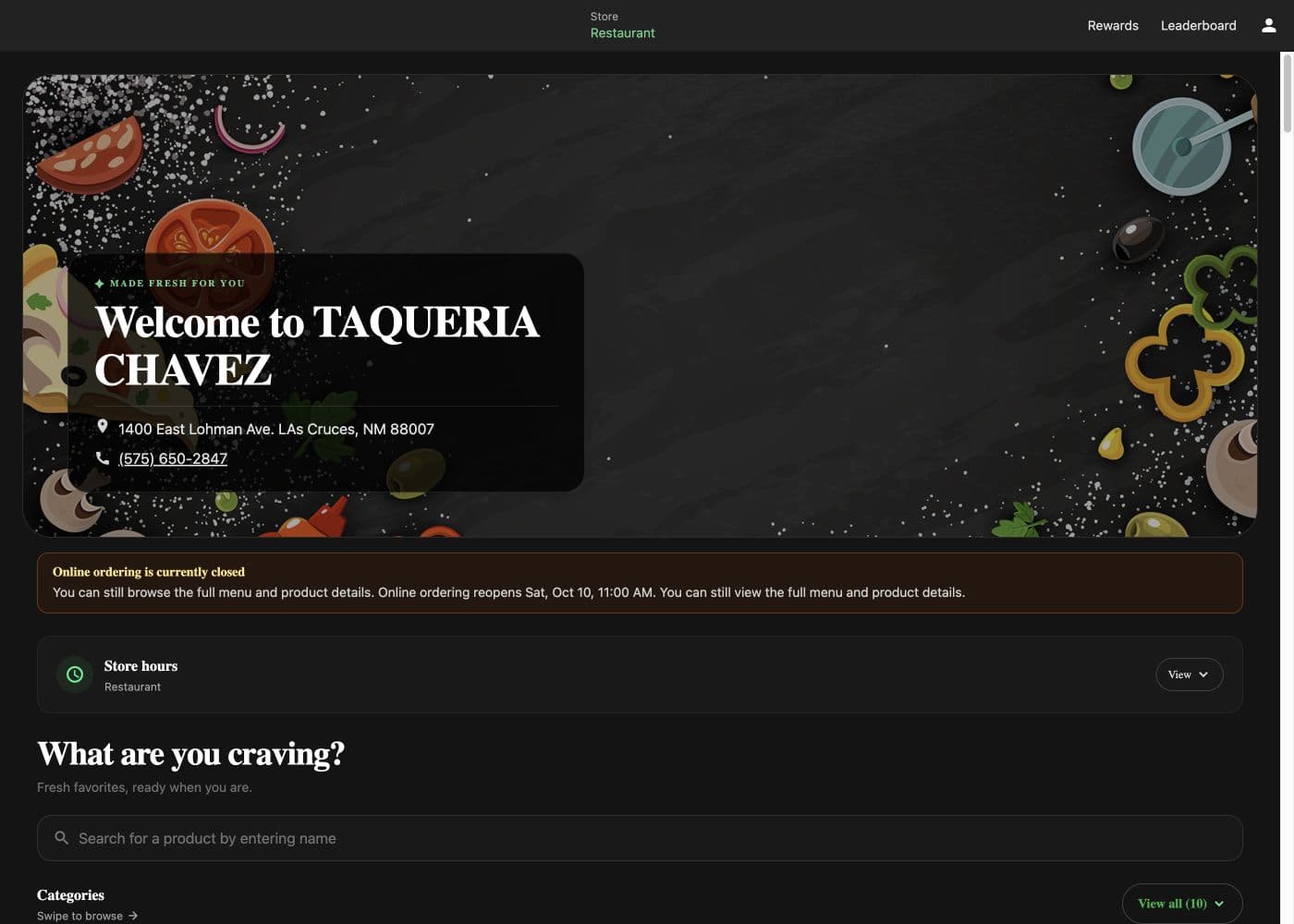
See how Taqueria Chavez presents its menu and online ordering through Tastio.

Taqueria Chavez · Restaurant
BUILT FOR THE WORK BEHIND THE COUNTER

From the first order to the last close.

Explore the products
01

Get the order right. Get it to the kitchen.

Give the kitchen the instructions it needs and guests a chance to review the order.

Capture modifiers and notes, route tickets to the kitchen, and show the order on the customer display.

Explore Cashier POS
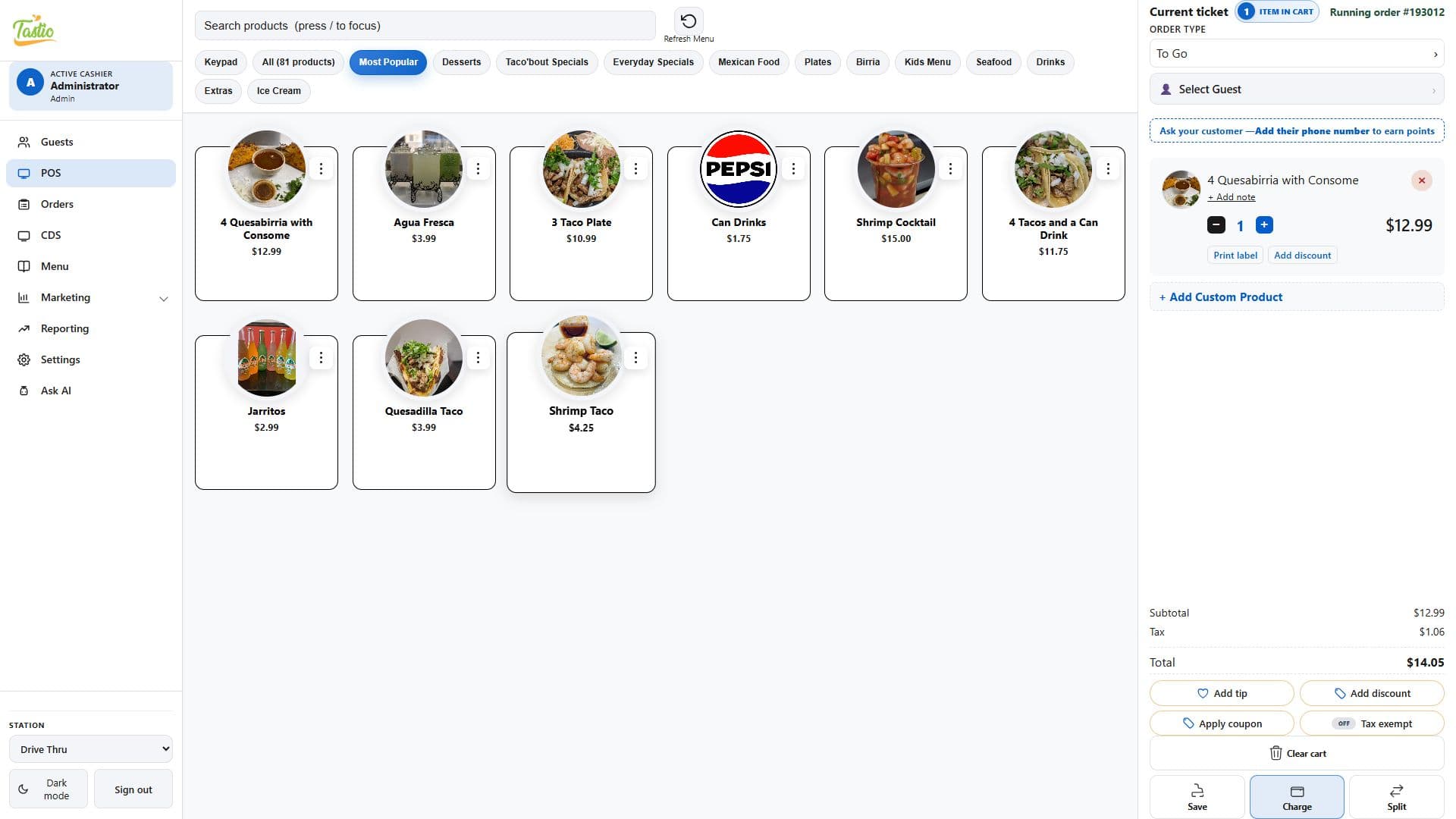
Real Tastio restaurant POS with active ticket
02

Take online orders. Bring regulars back.

Let guests order again without calling the counter.

Your branded storefront accepts pickup or delivery orders through your POS and lets guests see their loyalty.

Explore online ordering
Taqueria Chavez branded online ordering storefront
03

Review sales before you close.

Use the day’s sales to review the shift.

Review POS reporting, then manage menu settings, stock, and staff access in the back office.

Explore Cashier POS
Tastio restaurant POS interface; reporting is available in the product demo below
04

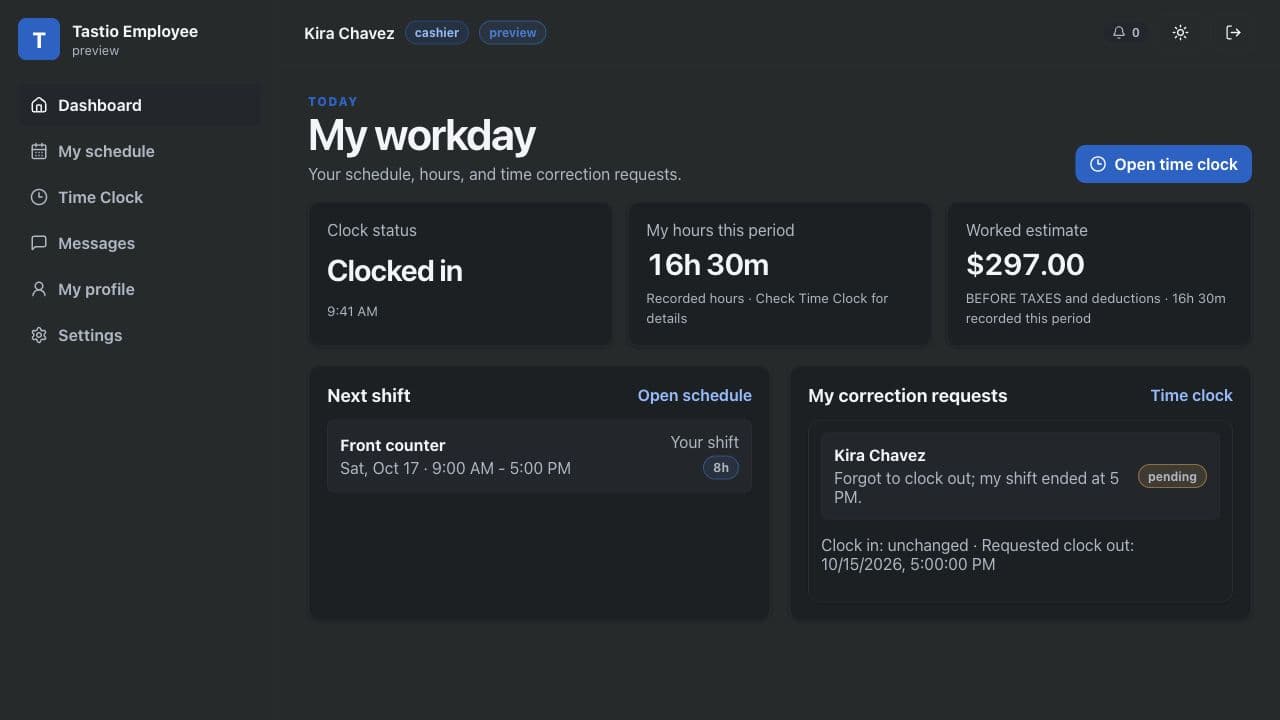
Give your team a clearer workday.

Make clock-ins, breaks, and the end of a shift easy to reach.

Employees see their own hours and schedule. Managers review punch corrections and recorded labor alongside sales.

Explore Employee Management
Tastio Employee personal dashboard with sample hours and correction requests
POINT OF SALE FIRST

See your restaurant POS.
Then your online store.

A 51-second restaurant walkthrough: review the menu, build a ticket, check out, and see branded online ordering. Includes real screens, cash-discount pricing, and personal setup. No monthly software fees. With cash discount enabled, card customers cover processing costs, so restaurant owners pay no card-processing costs. Cash guests pay the cash price.

Silent restaurant screenshot walkthrough with English descriptions · real POS and public storefront screens · no live transaction.

Book a personal demo
HOW FREE RESTAURANT SOFTWARE WORKS

Your POS software
costs $0 per month.

No contracts. Run Cashier on compatible Windows Desktop or Android devices; we confirm peripherals during setup.

RESTAURANT POS
Free/ $0 monthly software cost

No monthly software fees. With cash discount enabled, card customers cover processing costs, so restaurant owners pay no card-processing costs.

Start free
  • Owner: $0 monthly software cost; no card-processing costs with cash discount enabled
  • Card customer: covers processing costs with cash discount enabled
  • Cash customer: pays the cash price
  • Tastio: compensated through payment processing
  • Included: POS, kitchen routing, online ordering, loyalty, customer display, and reporting

Processing terms are confirmed during onboarding. Bring your own compatible devices; hardware is separate from the free software model.

More than one location? Review your locations with our team ↗

SET UP FOR YOUR NEXT SHIFT

Check your devices.
Prepare your team.

Let’s get started
01

Find your setup

Start with $0/month restaurant software. Review cash discount and your processing terms with our team.

02

Check your devices

Bring compatible Windows Desktop or Android devices. We help check printer models, scanners, and peripheral connections.

03

Create your account

Verify your email and submit your setup. We guide you through approval and provisioning.

04

Get your team ready

Configure your store, practice sales with your staff, and call the developers when you need help.

Windows Desktop Android Your peripherals
BRING YOUR OWN DEVICE

Start with your devices.
Check them with our team.

Tastio runs on Windows Desktop and Android devices. Check what your browser can see, then let us help confirm your printers, scanners, and other peripherals.

The hardware check uses the same assessment as Tastio Cashier. It explains browser access limits; our team confirms printing compatibility during setup.

Check my hardware
GOOD QUESTIONS. CLEAR ANSWERS.

Before we
get started.

Do I need to sign a contract?

No. Tastio does not require a contract. Pick the setup that fits your business.

Can I use my existing devices?

Yes. Tastio follows a Bring Your Own Device model on Windows Desktop and Android. Use our hardware check to see what your browser detects; the team confirms peripheral compatibility during setup.

How does pricing work?

No monthly software fees. With cash discount enabled, card customers cover processing costs, so restaurant owners pay no card-processing costs. Cash guests pay the cash price. Tastio is compensated through payment processing. Processing terms are confirmed during onboarding. Bring your own compatible devices; hardware is separate from the free software model.

LET’S FIND YOUR SETUP.

Put Tastio to work on your next shift.

Take counter orders, route kitchen tickets, and accept online orders with $0 monthly software fees.

Start free Download Cashier Watch the walkthrough Book a demo Talk directly to our team