Get each order right
Give the kitchen the details it needs without relying on a shouted correction.
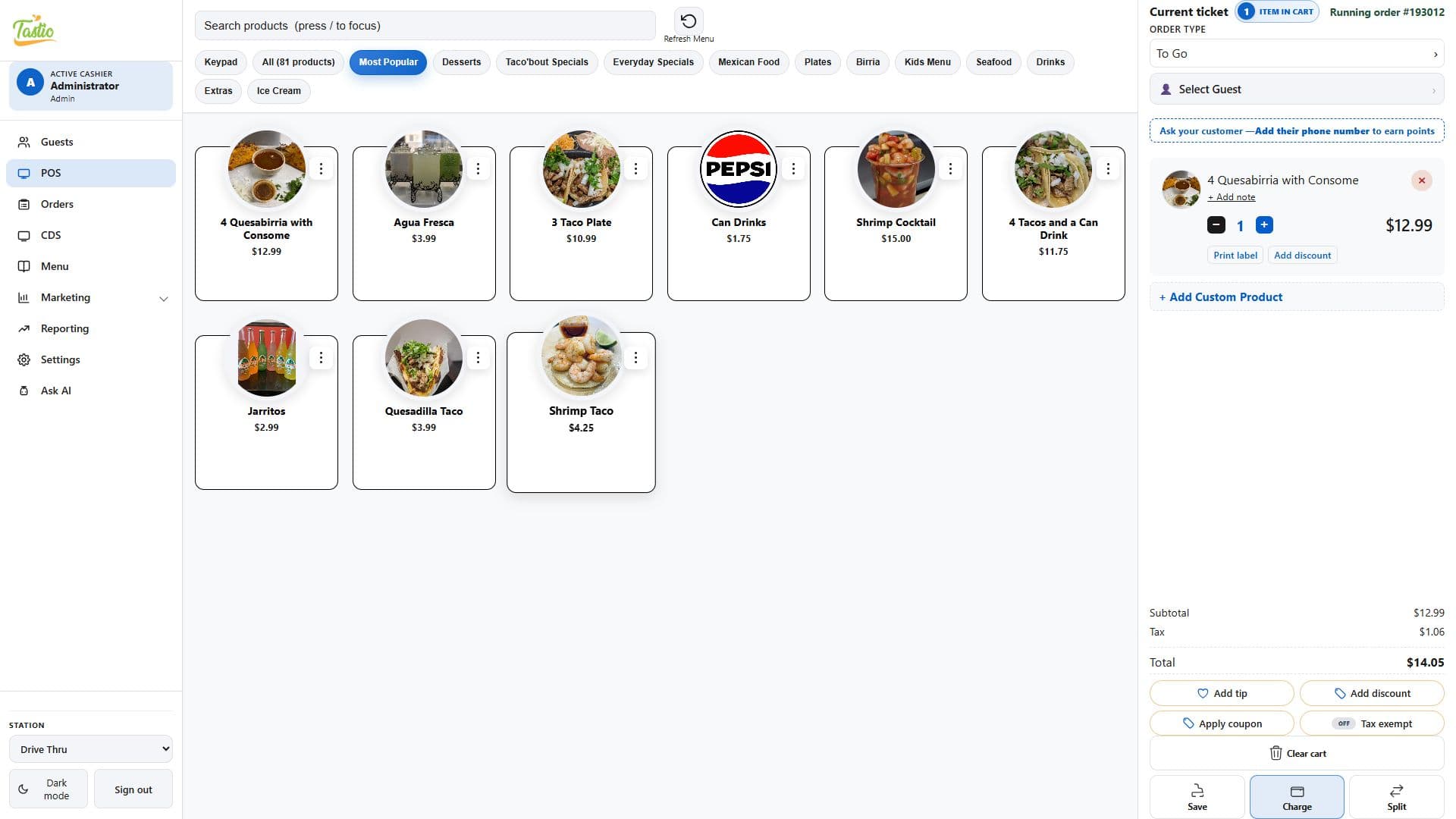
Select the order type and add notes and modifiers to the ticket before checkout.

Counter orders, payments, and reporting
Take counter orders, add modifiers and notes, route kitchen tickets, and review sales before close. Built by restaurant owners who know the lunch rush, with no monthly software fees under the cash-discount model.
$0/month in software fees through cash discount.
Processing terms are confirmed during onboarding. Bring your own compatible devices.
No contracts. Windows Desktop + Android. We check your compatible devices during setup.
During the shift
Build the ticket, take payment, review customer history, check stock, and see sales at close.
Give the kitchen the details it needs without relying on a shouted correction.
Select the order type and add notes and modifiers to the ticket before checkout.
Handle the payment and receipt without leaving the ticket.
Manage cash, configured card payments, discounts, tips, receipts, and split payments in the same workspace.
Give the line the order instructions and guests a view of their order.
Use kitchen routing, receipt printers, and customer displays configured for your register.
See customer history and apply rewards as you take the order.
Attach a guest to the ticket and use the loyalty rewards configured for your store.
Update products and review stock alongside daily sales.
Use product, menu, inventory, and back-office controls for your restaurant.
Review sales so you can close with a clearer picture of the day.
Use reports, store settings, menu controls, and staff access from Tastio’s back office.
For restaurant operators
Take orders, route kitchen tickets, and show guests their order on the customer display. No monthly software fees. With cash discount enabled, card customers cover processing costs, so restaurant owners pay no card-processing costs. Cash guests pay the cash price. Tastio is compensated through payment processing. Processing terms are confirmed during onboarding.
SETUP AND TRAINING
Start with your business type and the Windows Desktop or Android devices you plan to use.
Review the device and peripheral checks, then finish printer, scanner, scale, and drawer verification in the native Cashier app.
Configure your menu, staff, payments, and kitchen routing so the team is ready for service.
Setup with our team
Start with your menu, devices, and cash-discount setup. We’ll help you prepare the register and train your team.
No contracts. Personal setup and training.